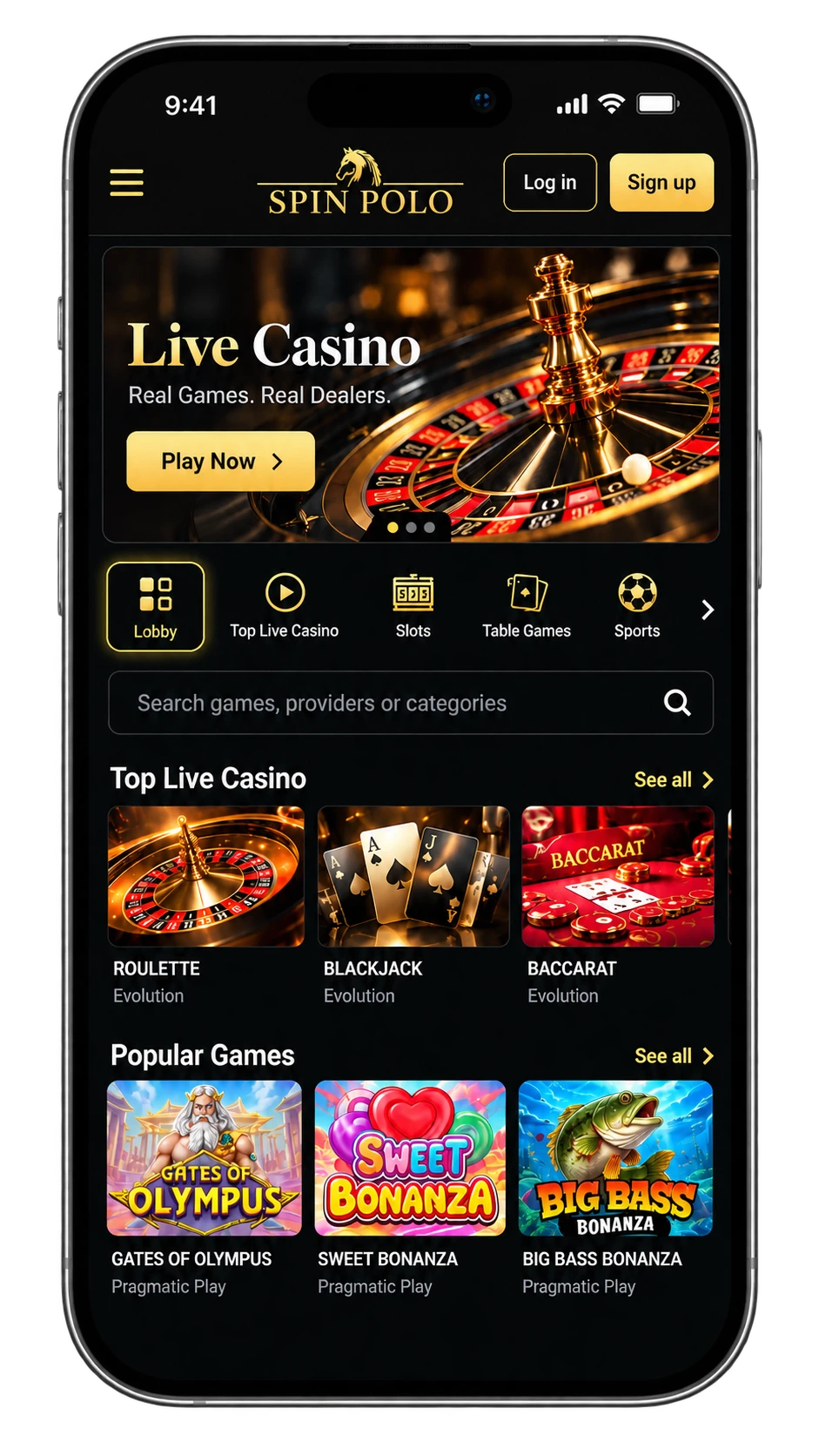
The Spinpolo App, Download It and Play on Your Phone
Get the spinpolo app from spin--polo.uk and start playing straight from your phone, wherever you are in the UK. Our app is for adults only, minimum age 18, and it brings the full casino into your pocket without a browser tab to juggle.
Our App on Your Phone
Our app gives UK players one account that covers login, our full catalogue of over 1,000 games, deposits, withdrawals and direct access to support, all from a single screen. The spinpolo app signs you into the same profile you use on spin--polo.uk, so your balance, history and favourite titles carry across without extra setup. Whether you tap in from a bus stop in Manchester or your sofa in Leeds, the account behind the spinpolo app stays identical to the one you would open in a browser, nothing is split between the two.
Play whenever it suits your evening, treating it as entertainment within a budget you set before you start. Every slot is built for touch, so swiping and tapping feel natural in portrait or landscape, and nothing shrinks for the smaller screen. Think of the spinpolo app and our browser site as two doors into one service: pick whichever is open, the games and your wallet stay exactly where you left them, and the spinpolo app never asks you to start fresh.
Exact requirements and file sizes sit in the table under Platforms and Requirements. Check your handset there before you download.
Features of the Spinpolo App
We built our app around the same engine that runs spin--polo.uk, so every screen you already know on the browser sits one tap away on your handset. Deposits, withdrawals, your account and support all live under one menu, and the spinpolo app mirrors each of them exactly. The table below shows where to find each one and what to expect in plain figures.
| Feature | Where in the App | Details |
|---|---|---|
| Game catalogue | Home screen and search | Over 1,000 games across slots, table games and live tables |
| Deposits | Menu, then Wallet, then Top up | Visa, Mastercard, Skrill and Apple Pay, minimum £10, maximum £8,000, credited instantly |
| Withdrawals | Menu, then Wallet, then Cash out | Minimum £20, maximum £6,000, processed from a few hours to 2 business days |
| Account and login | Menu, then Security | One registration shared with spin--polo.uk, same details in app and browser |
| Support | Menu, then Help, then Contact support | support@spin--polo.uk, reply within 24 hours |
| Touch navigation | Any screen | Portrait and landscape, swipe between categories |
Our app is installed once and then sits on your home screen; the browser version at spin--polo.uk needs no installation at all, just a tap on a saved link. Either way the experience underneath stays the same, same games, same wallet, same support thread. UK players moving between phone and laptop never log in twice or chase a missing session.
Platforms and Requirements
You can check your system version and free space before choosing a route. On an iPhone or iPad, open Settings, then General, then About, to see both figures; on Android, open Settings, then About Phone for the version and Storage for the space left.
| Device | Minimum Version | Space and Memory | Source | Install Time |
|---|---|---|---|---|
| iPhone and iPad | iOS or iPadOS 14.0 | 150 MB, 2 GB RAM | App Store or the steps shown on spin--polo.uk | Under a minute |
| Android phones and tablets | Android 9.0 | 120 MB, 2 GB RAM | Google Play or the file on spin--polo.uk | About a minute |
| Browser | Chrome, Safari, Firefox or Edge | Nothing to install | spin--polo.uk | About two minutes |
If your handset is older or storage is tight, the browser suits you just as well; nothing extra sits on your phone, and the catalogue, account and wallet behind it stay unchanged. UK players on an older Android can bookmark spin--polo.uk and get the same spinpolo app experience through Chrome or Safari without spending a single megabyte.
How to Download the Spinpolo App
Before you start, have your login details ready, plan for about two minutes on a stable connection, and check the free space listed in the table above. Five short steps carry you from spin--polo.uk to a working spinpolo app.
- Open spin--polo.uk in your mobile browser and find the app section.
- Pick your device, iPhone, iPad or Android.
- On iPhone or iPad, tap through to the App Store, or follow the steps shown on the site.
- On Android, download the 120 MB file from Google Play or directly from the site, and allow installation from this source once when asked.
- Open the spinpolo app, log in, and your balance and history are already waiting.
Once installed, our app asks for two permissions only, network access to load games and process payouts, and notifications so you hear about a payout the moment it lands. It never asks for your contacts, your photos or your location, and it never will.
App Settings Worth Switching On
These are the settings we see UK players switch on most, and every one of them sits under the same menu section. Setting them up takes a minute and saves a headache later.
- Biometric login: in Menu, then Security, then Face ID, unlock with Face ID or your fingerprint instead of typing a password.
- Push notifications: in Menu, then Notifications, then Payouts, get a ping when a withdrawal lands or a new game launches.
- Deposit limit: in Menu, then Limits, then Deposit limit, cap what you add daily, weekly or monthly.
- Session reminder: in Menu, then Notifications, then Session alert, choose a nudge every 30 or every 60 minutes.
- Demo mode: in Menu, then Games, then Demo, try any slot free before committing a penny.
- Language and currency: in Menu, then Language and currency, then Display, confirm everything shows in English and £.
Gambling stays entertainment, never income, and it only works that way inside a budget you set before you play. The deposit limit and the session reminder are the two settings we ask every UK player to switch on before their first deposit. Our responsible gaming page covers the rest, from self-exclusion to extra support.
Troubleshooting Download and Access Issues
Start with what your screen actually says, since most download or login trouble traces back to one simple cause, and the fix usually takes under a minute once you spot it.
| What You See | Why | What to Do |
|---|---|---|
| Download stops halfway | Connection dropped mid transfer | Reconnect to WiFi or data and restart the download from spin--polo.uk |
| Not enough space | Your handset sits below the free space listed in the table | Clear 150 MB and try again, or use the browser instead |
| Install blocked on Android | Installing from this source was not allowed | Open Settings, allow install from this source once, then retry |
| App not compatible | Your system sits below the minimum version listed | Update your system software or use spin--polo.uk in your browser |
| App opens then closes | A corrupted file or outdated build | Delete the application and reinstall the current build from the store |
| Login works in the browser but not in the app | A cached session or outdated build | Log out everywhere, update the application, and sign in again |
The browser at spin--polo.uk stays open the whole time, so you are never stuck mid session. If the issue sticks around, write to support@spin--polo.uk with your phone model, system version and what the screen showed, and our team replies within 24 hours.
Spinpolo Casino App
UK players can download the native Spinpolo Casino app on iOS and Android straight from the App Store or Google Play, then log into the exact account already set up on spin--polo.uk. The catalogue of over 1,000 games, your deposit and withdrawal history, and support chat all sync the moment you sign in. Top up from £10 and cash out up to £6,000 without leaving the app, with deposits credited instantly. Face ID login and push notifications for payouts keep everything one tap away on the move.
Grab it, log in, play on your terms.